Integent’s MS Project Training Increases Skills and Builds Confidence.
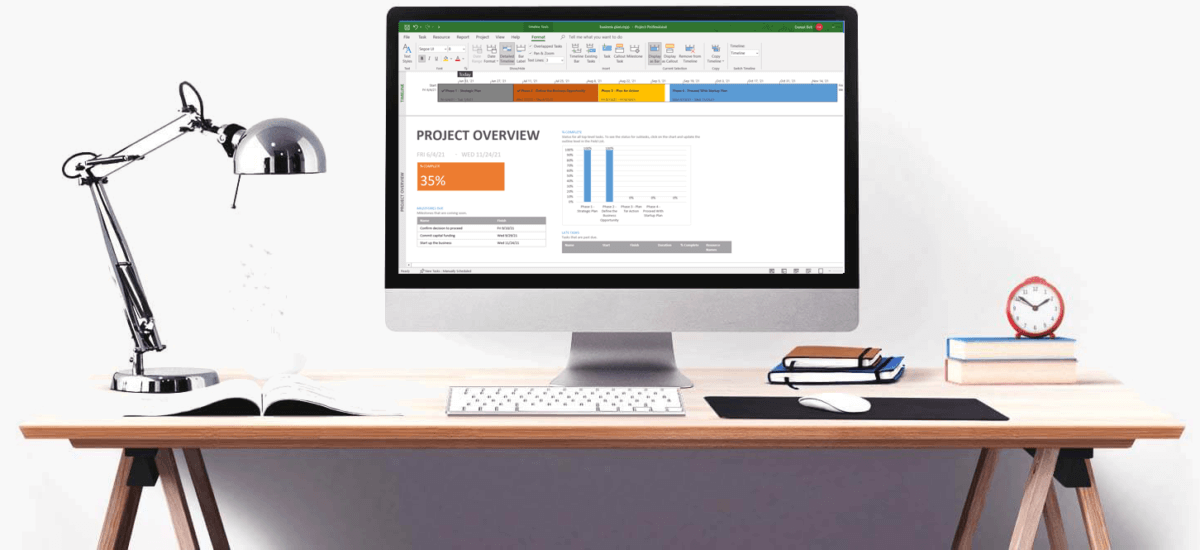
Microsoft Project is a powerful project scheduling and management tool in the Microsoft ecosystem. As such, the product provides powerful project management tools with the flexibility to manage projects with precision and effectiveness. The desktop solution also aides with the management of project resources.
This easy-to-use software lets you create projects, manage and track resources, create assignments, and collaborate with other team members. In addition, the built-in templates use industry best practices to help you get started. They are also available for all types of projects. Most importantly, they help you manage projects more efficient
Integent’s Training
In our high quality Microsoft Project Courses, we combine teaching our in-depth training content with facilitated classroom discussion. As a result, students are given the opportunity to share their unique experiences and knowledge.
Therefore, our training helps ensure maximum absorption of new concepts and techniques. Learning Microsoft Project involves many techniques, including how to manage resources, how to assign resources to tasks, and tracking progress.
Project Management with Microsoft Project also involves managing a budget and analyzing workloads. Further, it involves managing multiple projects and organizing team members workloads. Most importantly, we cover many of these topics as part of our training program. Other benefits include:
• We offer Our MS Project Training onsite at a customer location, or Live Online.
• Small Private Group training is a specialty of ours. Live Online courses may be scheduled over several days.
• We provide customized training solutions for customers as well. This includes project management fundamentals, portfolio management, and more.
• Integent’s Microsoft Project training is a great way to prepare for your certification training needs.
Microsoft’s Project Management Software is a complex program which some users do struggle with. Therefore speak to our instructor if you need additional assistance while attending our MS Project Training.
We have many solutions, including Microsoft Project Support, to help customers of all types. We have just the right level of services to help any organization meet schedules, work within budgets, and hit milestones
MS Project Training, Why it is Important?
Microsoft Project is a robust project management software solution. It contains a powerful scheduling engine that provides many features and functions to help manage projects and resources. The product is the standard for project scheduling in the project management industry. For example, the software enables project managers to build, manage and track project schedules from the simple, to highly complex.
On the other hand, learning how to use the MS Project scheduling software is not always easy. Fortunately, it does not have to be this way. Once you learn a handful of techniques with MS Project, you will begin to feel more confident using it.
Microsoft Project, from the complex to simple.
The Project Professional scheduling engine is powerful, yet complex. For instance, lets look at how to handle a delayed task. Some project managers first instinct would be to change the Start Date to the actual date the task started. As a result, this may have several negative effects. For instance, it will immediately stamp the task with an Actual Start date. To clarify, this is because the Start Date was not dynamically determined based on task dependencies and lags/leads. Second, depending on the Task Type, changing the Start Date may not alter the Finish Date. This could in turn alter the amount of Work. The Task Types of Fixed Work, Fixed Duration, Fixed Units play an important role in scheduling.
Schedule a ConsultationA Better Solution for Scheduling
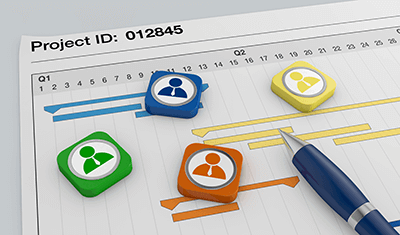
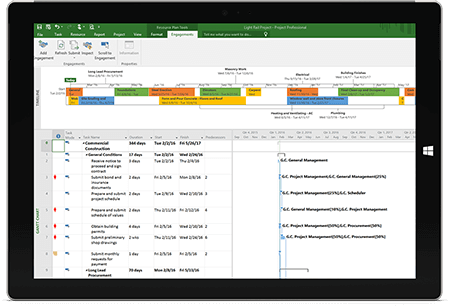
Ever ask yourself what to do when looking at a Gantt Chart and noticing tasks schedule to start on the wrong date? Many who manage projects first instinct would be to change the Start Date, however, doing so adds a "Start No Earlier Than" constraint on the task, removing the schedules dynamic ability be flexible. An alternative to changing the Start Date would be to add a lag or a lead to the task. This method will alter the Start Date while leaving the schedule completely dynamic. These topics and more are all covered as part of project planning, managing, and tracking a project schedule. The training is a step-by-step process which first starts out by creating a work breakdown structure. The entire process covers estimating tasks, task dependencies as well as duration and work estimates. Next comes resource planning, including the assigning of resources to tasks. Lastly you will learn how to track progress on the project based on team members completed work, while dealing with delays and variances.
What Is Baseline?
After you have created your project plan and finalized all the details it is time to take a snapshot. To clarify, a baseline is a copy of all
the underlying data of your project schedule, including project resources information. Baselines show a picture of the project plan at a particular point in time.
As a result, during project tracking you will be able to determine if your project is progressing according to schedule. Consequently, if there are approved scope changes, MS Project allows for multiple Baselines. As a result, additional baselines may be taken to incorporate approved scope changes. Students will learn how to take
project baselines in Microsoft Project as well as complete baseline control.
Variance Analysis
Your project was finalized and now it is in execution. As a result, variance analysis must be done on your project. Variance analysis should be performed every reporting period. Variance analysis is the process of comparing actual progress and remaining estimates against the original baseline.
Consequently, you will be able to determine if the schedule is slipping or costs are being exceeded. Above all, this is the time we want to identify potential issues and implement corrections. Consequently, it is the corrections that will get the project back on schedule. Microsoft PPM Training knowledge
Project saves five task values in the project baseline and as such calculates five types of task variance:
• Duration variance
• Start variance
• Finish variance
• Work variance
• Cost variance
Monitoring these values and more will be the key to the success of your project. As a result, these are key items addressed in our MS
Project training course.
Project Closure
The final stage of every project should be the closing stage. That is to say the project is complete and the activities associated with project completion must be performed. For example, documents associated with the project should be completed. In addition, a lesson learned meeting should be held and documented, as well as project team members
released to other projects.
When it comes to the project file there are a few cleanup
tasks as well, such as:
• Enter Actual progress as necessary
• Set all Milestone tasks to 100% Complete as necessary
• Incorporate lessons learned into the project template
• Cancel tasks that are not necessary