Call Us Today! 1.800.895.3254
[email protected]
Consulting & Advisory
Consulting / Advisory helps business and IT leaders make better decisions and turn strategy into execution-ready initiatives. Most engagements start with a Discovery Initiative to confirm outcomes, and build a roadmap.

Learn About Consulting
Data & AI
Data & AI delivers modern data platforms, analytics, and practical AI solutions—from assistants to agents—built on enterprise cloud tools. Integent helps you govern, deploy, and drive adoption so solutions stick and scale across your organization.
Learn About Data & AI
Support
Support keeps your solution stable, secure, and aligned with day-to-day operations. We combine functional and technical expertise with proactive monitoring, preventive maintenance, and 24/7 coverage for critical incidents.

Learn About Support
Microsoft Planner Premium
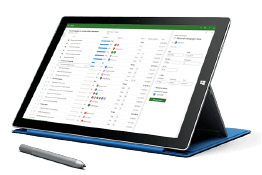
Leverage proven knowledge and experience to design and deploy Microsoft Planner Premium so your organization can manage projects, work, and resources more effectively across teams.
Learn More About Planner Premium
OnePlan
Integent can help you ensure continuity beyond Project Online by deploying OnePlan in the Microsoft Cloud—connecting portfolio governance, resources, and delivery execution for results.
Learn More About OnePlan
Microsoft Dynamics 365
Ensure business continuity with a custom cloud solution that connects your sales, service, finance, and operations teams to deliver measurable, predictable results.

Learn More About Dynamics 365
Microsoft Power Platform
Consisting of Power BI, Power Apps, Power Automate and Copilot Studio, the Microsoft Power Platform helps streamline and improve business functions.

Learn More About Power Platform
About Integent
Integent was founded in 2009 on the principles of building long-lasting relationships with customers, exceeding expectations, and providing outstanding customer service. 

We’re dedicated to providing a customized solution backed by our knowledgeable team of Microsoft experts.

Discover What Makes Us Different
Insights
Explore practical insights on project portfolio management, Data & AI, Microsoft cloud solutions, and business transformation. Our experts share guidance to help organizations improve governance, reporting, automation, and decision-making.
Discover More
Videos
Watch practical training videos, product walkthroughs, and expert demos covering modern project management, analytics, automation, and Microsoft business applications.

Browse Our Training Video Library
News
Stay informed on Integent’s latest company updates and other important industry information. Our passion is customer success.
Read The Latest News


Microsoft Project Online Migration Consulting

Move off Microsoft Project Online with Integent's expert migration service and support.

Book a free migration assessment Compare migration options
Project Online migration
Where we move you
Project Online retired on September 30, 2026
Microsoft Planner premium plans + Teams4PM, implemented by Integent
OnePlan cloud project portfolio management

Microsoft retired Project Online on September 30, 2026. If your tenant is still accessible, Integent moves your projects, resources, custom fields and reports to Planner Premium, OnePlan or Project Server Subscription Edition. Integent’s Microsoft Project Online Migration Consulting can get you there.

Moving off Microsoft Project Online may be a complex process. Ultimately this would depend on the volume of data and the reports currently in use.

As well as the amount of acceptable downtime to the business, among other things. Ultimately, this is why it is important to work with a partner who has successfully performed these migrations with other customers.

For instance, reporting options on your new platform differ from Project Online. Therefore, identifying what a customer is using for reports today is a critical step in the process.

Before we start: what we assess

Most importantly, determining how to replicate much needed reports on your new platform is an important step in the process. Excel and Power BI are the two most often used reporting technologies for Project Online. How will any gaps in reporting requirements be met?

Likewise, understanding these items up front will lead to a much more streamlined process. Some of the ways we help include:

  • Accurately define the scope of the migration to determine any required gaps. As well as how to close them.
  • Does the customer use the Project Sites to store documents? If so, what volume of documents exists?
  • Determine what reports are in use today, and ensure a strategy for them on the new platform. Consequently, any reports using complex SQL queries may require the use of a Data Mart.
  • Is the customer using single sign-on, Active Directory synchronization?
  • What customizations does the current system have today that may impact the migration?
How we migrate

The Microsoft Project Online Migration Process

Integent’s process for a migration off Project Online usually involves performing the migration process twice.

01

Development Migration

The first migration can be referred to the development migration. This migration helps uncover issues that may be encountered during the process of migrating to the new platform.

For instance, project schedules from the previous project management solution may not migrate correctly. For example, are we unable to open projects after the migration with Microsoft Project Professional? Perhaps items in the SharePoint Project Sites fail during migration, such as documents. Similarly, a lookup table may not come over correctly or even a project portfolio analysis is missing.

Although all migrations have challenges, heavily customized environments bring up even more challenges. Consequently, a Project Online tenant with many custom fields, workflows and SQL-based reports provides some unique challenges. Subsequently, the route taken in your migration may require cleaning up the configuration first. In short, this depends on whether the migration path taken involves any type of migration tools.

A Project Server 2019 to Project Server Subscription Edition migration, however, is a bit less complex.

The development migration does not typically require migrating the entirety of the customers data. What it does entail is a full migration of the configuration and resources, with a subset of projects and SharePoint data.

02

Development Validation

Once the development migration has been completed it is time to validate the results. The validation is first performed by the Integent team during and after migration activities have taken place. Firstly, validation includes a review of all custom fields, SharePoint content (documents, issues, risks), Resources, System Views, and Project Schedules.

Once the Integent team has completed migration activities and internal validation, the customer will become involved in validation. Most importantly, the customer be involved in order to confirm the success of the migration themselves and gain their buy-in.

03

Production Migration

Upon completion of the development validation the production migration is performed. Likewise, the process is the similar to the development with a couple caveats.

  • If using one target environment, some of the previously migrated data will be cleaned. Secondly, all data will be migrated.
  • Again, if using one target environment there is no need to re-migrate the configuration. Therefore this step would not be necessary.
  • If using a second environment the process would be identical to the development migration. However, except that the Integent team would be migrating all projects and Project Site data.

Once all migration activities have been completed, the production system would be validated. Similarly, the validation process would be just like that performed in development. Once complete, the system would typically be released to the user community.

04

Enhanced Configuration

If the customer intends on using the Project Online Migration as an opportunity to revise the configuration. That is to say enhance their configuration by creating custom fields and views. On the other hand perhaps trim their configuration of unused items.

Above all, this would typically be performed after the production migration has been successfully completed and validated. Your new platform has many features available. Though tempting, keeping it simple is something the better approach.

Integent is ready to provide Microsoft Project Online Migration Consulting services to move you off Project Online. Contact us for an assessment today.

Schedule a Consultation

What we move

  • Project schedulesfrom Project Web App (PWA): tasks, dependencies, baselines and assignments
  • ResourcesEnterprise resources, calendars and capacity data
  • Custom fieldsEnterprise custom fields and lookup tables (mapped or retired)
  • Project SitesDocuments, lists, risks and issues
  • TimesheetsTimesheet and actuals history, where the target platform supports it
  • ReportsPower BI and Excel reports rebuilt on the new data source
Compare

Project Online migration tools or consultants?

Migration tools on their own

Migration tools copy data. They do not decide which custom fields still matter, how your portfolio should be structured on the new platform, or why a report that worked for five years now shows different numbers. That is where most migrations go wrong.

Custom fields
Copied as they are
Clean-up
Not included
Reports
Not rebuilt
Validation
Left to your team
Training
Not included
Recommended

Integent migration consulting

We use tools where they save time, and our consultants handle the parts tools cannot: data mapping, clean-up, validation with your project managers, report rebuilds and user training.

Custom fields
Each one mapped or retired
Clean-up
Unused fields and views dropped
Reports
Power BI and Excel rebuilt
Validation
With your project managers
Training
Included
Talk to us

Common Project Online migration challenges

01Custom fields with no direct equivalentFormula fields and complex lookup tables often need a new design, not a copy.
02Reports built on OData or SQLThey must be rebuilt for the new data source. We plan this in the assessment, not after cutover.
03Large Project SitesDocument volume drives migration time; we measure it up front.
04User adoptionA new platform only works if project managers use it. Training is part of every engagement.

What our clients say

Integent supported our Project Online migration, and the experience was very smooth end to end. The migration itself was completed over a weekend with minimal disruption. Following the cutover, we reviewed the data thoroughly with our project management team, and the quality and integrity of the migrated data were fully validated. We would be comfortable recommending them for similar migration and reporting initiatives.Socomec
Project Online migration
Working with Integent has been an excellent experience. Their team consistently demonstrated strong foresight, often anticipating potential challenges and proactively addressing them before they became roadblocks. Integent played a key role in our successful migration from Microsoft Project Online to Microsoft Planner. Their expertise, process development, and ongoing support helped make the transition seamless.Genesis Innovation
Project Online to Planner migration
Integent has been a great partner for aeSolutions. Amanda did an outstanding job managing the project, keeping everyone on task, understanding our needs, and making sure the team delivered what was promised. Their technical expertise across both PPM and Power BI was excellent, and I would highly recommend Integent to anyone looking for a knowledgeable team that can execute.aeSolutions
PPM & Power BI

Project Online migration FAQ

How do I migrate from Project Online?

Start with an assessment and a full data export. Then choose a target platform, map your custom fields and reports, run a development migration, validate it with your project managers and only then run the production migration.

Can I still get my data out of Project Online?

If your tenant is still accessible, export now. Microsoft no longer supports Project Online and can switch it off without further notice.

Where can we migrate to?

Microsoft Planner premium plans (optionally with Teams4PM, which we implement) inside Microsoft 365, OnePlan as a cloud project portfolio management platform, or Project Server Subscription Edition on your own servers. See which path fits your organization.

What happened to Project for the web?

Microsoft moved Project for the web plans into Microsoft Planner as premium plans. We migrate them together with your Project Online data.

Will our Power BI reports keep working?

Not without changes, because the data source changes. We rebuild the reports your PMO needs as part of the migration.

How long does a Project Online migration take?

It depends on the number of projects, custom fields, reports and documents. The assessment ends with a plan, and you choose the production migration date.

Do you migrate from Project Server too?

Yes. We also move Project Server 2019 environments to Project Server Subscription Edition or to the cloud.

Everyone Needs Advice.

90%

Integent has helped hundreds of customers build or refine their project, resource, and portfolio management capabilities. Above all, we do this as part of our Microsoft Project Online Consulting services. Our customer results are undeniable. Moreover, the result of improvements that enable them to hit all their milestones and make informed decisions.

This is why Integent has earned exceptional client satisfaction and a 90% customer retention rate. And along with every single consulting engagement we also leverage our Microsoft Project Online Training services.

So give us a call and find out how we can help.

Book a free migration assessment

Tell us how many projects and users you have and where you want to go. We will reply with the next steps and a realistic timeline.

Project Services

This field is for validation purposes and should be left unchanged.

Schedule A Consultation

Schedule a meeting to discuss how Integent can help your organization succeed with Microsoft technologies.
© Copyright 2026 | Integent.com | All Rights Reserved
linkedin facebook pinterest youtube rss twitter instagram facebook-blank rss-blank linkedin-blank pinterest youtube twitter instagram