Call Us Today! 1.800.895.3254
[email protected]
Consulting & Advisory
Consulting / Advisory helps business and IT leaders make better decisions and turn strategy into execution-ready initiatives. Most engagements start with a Discovery Initiative to confirm outcomes, and build a roadmap.

Learn About Consulting
Data & AI
Data & AI delivers modern data platforms, analytics, and practical AI solutions—from assistants to agents—built on enterprise cloud tools. Integent helps you govern, deploy, and drive adoption so solutions stick and scale across your organization.
Learn About Data & AI
Support
Support keeps your solution stable, secure, and aligned with day-to-day operations. We combine functional and technical expertise with proactive monitoring, preventive maintenance, and 24/7 coverage for critical incidents.

Learn About Support
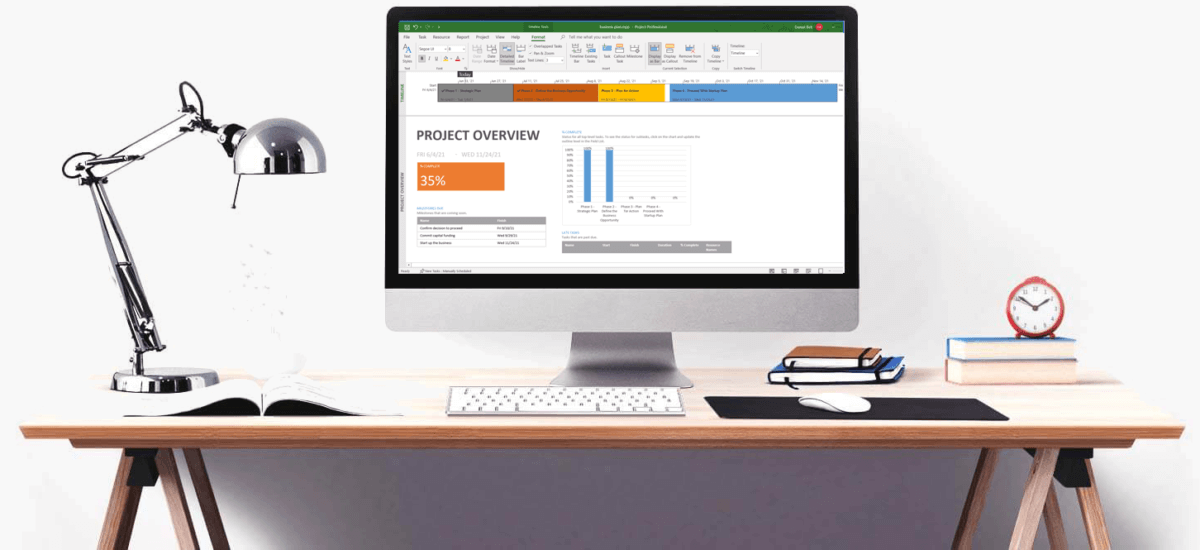
Microsoft Planner Premium
Leverage proven knowledge and experience to design and deploy Microsoft Planner Premium so your organization can manage projects, work, and resources more effectively across teams.
Learn More About Planner Premium
OnePlan
Integent can help you ensure continuity beyond Project Online by deploying OnePlan in the Microsoft Cloud—connecting portfolio governance, resources, and delivery execution for results.
Learn More About OnePlan
Microsoft Dynamics 365
Ensure business continuity with a custom cloud solution that connects your sales, service, finance, and operations teams to deliver measurable, predictable results.

Learn More About Dynamics 365
Microsoft Power Platform
Consisting of Power BI, Power Apps, Power Automate and Copilot Studio, the Microsoft Power Platform helps streamline and improve business functions.

Learn More About Power Platform
About Integent
Integent was founded in 2009 on the principles of building long-lasting relationships with customers, exceeding expectations, and providing outstanding customer service. 

We’re dedicated to providing a customized solution backed by our knowledgeable team of Microsoft experts.

Discover What Makes Us Different
Insights
Explore practical insights on project portfolio management, Data & AI, Microsoft cloud solutions, and business transformation. Our experts share guidance to help organizations improve governance, reporting, automation, and decision-making.
Discover More
Videos
Watch practical training videos, product walkthroughs, and expert demos covering modern project management, analytics, automation, and Microsoft business applications.

Browse Our Training Video Library
News
Stay informed on Integent’s latest company updates and other important industry information. Our passion is customer success.
Read The Latest News


TRAIN YOUR TEAM!

MS Project Training: Microsoft Project Courses for Teams

- Focus on best-practice schedule development.
- Courses combine lecture & hands-on exercises.
- Onsite & live-online training options available.
Get Started Today

Microsoft Project Training Options

Our instructor-led Microsoft Project training courses teach your team to plan, manage, and track project schedules with confidence. Each course combines short lectures with hands-on exercises in your own version: Project Professional 2024, 2021 or 2019, or the Project desktop app in Microsoft 365. We also train teams on Microsoft Planner Premium and Project Server Subscription Edition (PSSE), now that Microsoft has retired Project Online.

Online Training

Live-online MS Project training for individuals and small groups. We also run courses for OnePlan, Planner Premium, PSSE, and Power BI.
View Courses

On Site Training

Onsite training for your whole team. We tailor the agenda to your projects and templates, then deliver hands-on sessions at your location.
Contact Us Today

Video Training

Free Microsoft Project training videos you can watch at any time, from creating your first schedule to tracking progress and reporting.
Browse Videos

Why Train With Integent?

Many of our instructors are Project Management Professionals (PMPs) with Microsoft Project certifications and at least 10 years in project management. They also work as consultants, so they bring real client scenarios to every class and teach the best practices that keep a schedule accurate.

Contact Us

"*" indicates required fields

This field is for validation purposes and should be left unchanged.

Project Services

Benefits of Integent's Microsoft Project Training

Comprehensive

From the first task to variance analysis, each course covers the full schedule lifecycle in Microsoft Project.

Achieve Success

Exercises use real project scenarios, so your team can apply each new technique on the job the very next day.

Best Practices & Tools

Learn the scheduling practices our consultants use to manage tasks, assign resources, and avoid common mistakes.

No Matter The Need, We're Here to Help.

Training Courses

Microsoft Project courses from beginner to advanced, plus Planner Premium, PSSE, and OnePlan.
Browse Our Courses

Consulting Services

Get expert help with OnePlan, Microsoft Planner Premium, and PSSE — including schedule best practices and adoption support.
Learn About Consulting

Support Services

Integent can provide ongoing support for both MS Project technical and functional topics.
Learn About Support

What Our MS Project Training Covers

Microsoft Project is the standard scheduling tool in the Microsoft ecosystem. It lets you create projects, assign resources, track progress, and share the plan with your team. Its scheduling engine is powerful, but it is not always intuitive.

Integent’s Training

Each course mixes lectures with class discussion, so students learn from each other’s projects. The course follows the life of a schedule: build a work breakdown structure, estimate tasks, set dependencies, assign resources to tasks, manage budgets and workloads, and track progress. Course options:
• Onsite at your location or live online.
• Private small-group classes, live-online courses split over several days.
• Custom courses: project management fundamentals, portfolio management, and your own templates.
• A good preparation for your professional certification training.
• Electronic copies of our training guide at no additional charge.
• Microsoft Project support after the course, when your team needs help with a live schedule.

Why MS Project Training Matters

Most schedule problems come from a few habits, such as typing dates instead of linking tasks. Learning Microsoft Project is not only about the ribbon. Once your team members learn a handful of core techniques, schedules stay accurate, easy to update, and useful to everyone who has to manage projects with them.

MS Project Training Courses: Beginner to Advanced

Our core Microsoft Project training courses for the desktop app. Each one is available live online or onsite, and we can customize the agenda for your team.

Introduction to Microsoft Project (6 hours): start a new plan, build a task list with milestones and summary tasks, set up and assign resources, save a baseline, and track progress.

Microsoft Project: The Essentials (1 day): the full scheduling process: work breakdown structure, dependencies, lags and leads, constraints and deadlines, task types, resource and assignment planning, the critical path, tracking, variance analysis, and reports.

Microsoft Project for Project Managers (2 days): everything in Essentials, plus resource leveling, custom fields and formulas, custom tables and views, the Organizer, master projects, dependencies across projects, and shared resource pools.

See the full syllabus for each course on our Microsoft training courses page.

Example: Handling a Delayed Task

When a task starts late, many project managers type the new date into the Start field. This has side effects. Project adds a Start No Earlier Than constraint, so the task no longer moves with its dependencies. Depending on the task type (Fixed Units, Fixed Work, or Fixed Duration), the change can also alter the finish date or the amount of work.
Schedule a Consultation

A Better Solution for Scheduling

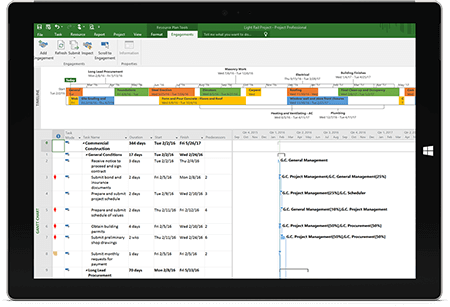
Ever looked at a Gantt chart and noticed tasks scheduled to start on the wrong date? Changing the Start Date adds a Start No Earlier Than constraint and removes the schedule’s ability to stay flexible. A better way is to add a lag or a lead to the task dependency. This changes the start date while the schedule stays fully dynamic. These techniques are part of planning, managing, and tracking a project schedule in the course.

What Is a Baseline in Microsoft Project?

A baseline is a snapshot of the approved plan: dates, work, and costs for every task and resource. During tracking, you compare the current schedule with the baseline to see whether the project is on time. Microsoft Project stores up to 11 baselines, so you can save a new one after an approved scope change. Students practice setting and updating baselines.

Variance Analysis

Every reporting period, compare actual progress and remaining estimates with the baseline. Microsoft Project calculates five task variances: duration, start, finish, work, and cost. They show early whether the schedule is slipping or costs are growing, while there is still time to correct it.

Project Closure

At closure, the team completes project documents, holds a lessons-learned meeting, and releases resources to other projects. In the project file: enter final actuals, set milestones to 100% complete, cancel tasks that are no longer needed, and add lessons learned to your project template.

Testimonials

Schedule A Consultation

Schedule a meeting to discuss how Integent can help your organization succeed with Microsoft technologies.
© Copyright 2026 | Integent.com | All Rights Reserved
linkedin facebook pinterest youtube rss twitter instagram facebook-blank rss-blank linkedin-blank pinterest youtube twitter instagram