Call Us Today! 1.800.895.3254
[email protected]
Consulting & Advisory
Consulting / Advisory helps business and IT leaders make better decisions and turn strategy into execution-ready initiatives. Most engagements start with a Discovery Initiative to confirm outcomes, and build a roadmap.

Learn About Consulting
Data & AI
Data & AI delivers modern data platforms, analytics, and practical AI solutions—from assistants to agents—built on enterprise cloud tools. Integent helps you govern, deploy, and drive adoption so solutions stick and scale across your organization.
Learn About Data & AI
Support
Support keeps your solution stable, secure, and aligned with day-to-day operations. We combine functional and technical expertise with proactive monitoring, preventive maintenance, and 24/7 coverage for critical incidents.

Learn About Support
Microsoft Planner Premium
Leverage proven knowledge and experience to design and deploy Microsoft Planner Premium so your organization can manage projects, work, and resources more effectively across teams.
Learn More About Planner Premium
OnePlan
Integent can help you ensure continuity beyond Project Online by deploying OnePlan in the Microsoft Cloud—connecting portfolio governance, resources, and delivery execution for results.
Learn More About OnePlan
Microsoft Dynamics 365
Ensure business continuity with a custom cloud solution that connects your sales, service, finance, and operations teams to deliver measurable, predictable results.

Learn More About Dynamics 365
Microsoft Power Platform
Consisting of Power BI, Power Apps, Power Automate and Copilot Studio, the Microsoft Power Platform helps streamline and improve business functions.

Learn More About Power Platform
About Integent
Integent was founded in 2009 on the principles of building long-lasting relationships with customers, exceeding expectations, and providing outstanding customer service. 

We’re dedicated to providing a customized solution backed by our knowledgeable team of Microsoft experts.

Discover What Makes Us Different
Insights
Explore practical insights on project portfolio management, Data & AI, Microsoft cloud solutions, and business transformation. Our experts share guidance to help organizations improve governance, reporting, automation, and decision-making.
Discover More
Videos
Watch practical training videos, product walkthroughs, and expert demos covering modern project management, analytics, automation, and Microsoft business applications.

Browse Our Training Video Library
News
Stay informed on Integent’s latest company updates and other important industry information. Our passion is customer success.
Read The Latest News

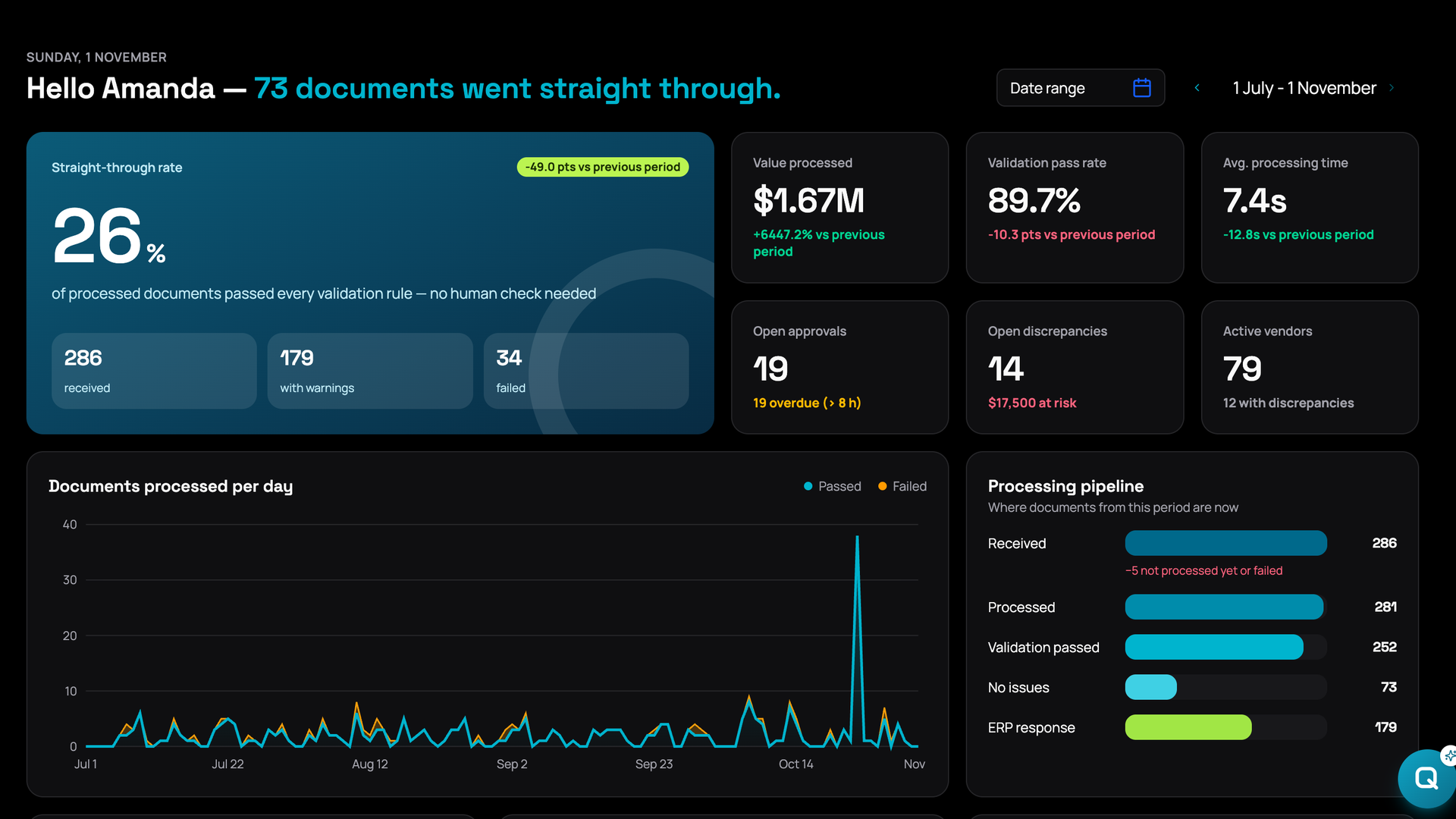
AP automation for Microsoft 365

AI invoice validation that runs in your Microsoft 365 tenant

QDesk checks every vendor invoice against the purchase order, the contract and your spending rules before it is paid. It runs in your Microsoft 365 tenant, so invoices and contracts never leave your environment.

Deployed in your tenant, or hosted and managed by Integent on a subscription.

AI invoice validation in Microsoft 365: an invoice over contract caught before it is paid
▶ Watch: AI invoice validation in 70 seconds
Works with OutlookSharePointTeamsPower AutomateAzure AIyour ERP
83 hrsa month to check 500 invoices by hand at 10 minutes each (illustrative)
1–2%of disbursements lost to duplicate and erroneous payments in manual AP (IOFM)
0 new loginsOutlook, Teams and SharePoint
4–6 weeksto be running on your invoices
What it checks

Four checks that catch most overpayments

Each invoice runs through business rules configured to your contracts and policies. The same engine also handles spending policy, approval routing and document filing in SharePoint.

$

Price vs contract

Rates and totals against the contract cap and its valid dates.

⧉

Duplicate invoices

Same vendor, number, amount or line items as an invoice already processed.

≡

PO and three-way match

Confirms the PO is valid and that quantities and prices match, including goods receipts when your ERP provides them.

✓

Policy and approvals

Approval limits, tax ID and exemption checks, routing to the right approver.

How it works

AI reads.
Rules decide.
People approve.

Reading an invoice is a language problem, so a model does it. Deciding whether to pay is not, so fixed business rules do it: same invoice, same answer, every time.

The system flags. It never blocks a payment on its own.
  1. Capture

    Watches a shared Outlook mailbox or SharePoint library. Every invoice is picked up within seconds.

  2. Read

    Document intelligence and a language model extract vendor, dates, amounts, PO, tax data and line items, with a confidence score.

  3. Check

    Business rules compare the invoice with the purchase order, contract rates and terms, earlier invoices and spending policy.

  4. Decide

    Exceptions are explained in plain language and routed to the right approver in Teams, with a full audit trail.

Amount over contract Open
Invoice$6,400
Contract max$5,000
Variance+28%
Approve for paymentResolvedAcknowledgeFalse positive

Every action is recorded: what was found, who decided and when.

People stay in control

Catch the rate increase nobody agreed to

QDesk explains each exception in plain language. A person decides what happens next: approve anyway, resolve it with the vendor, acknowledge it, or mark it as a false positive.

  • Flags variances against contract caps and valid dates
  • Never blocks a payment on its own
  • Full audit trail for every invoice
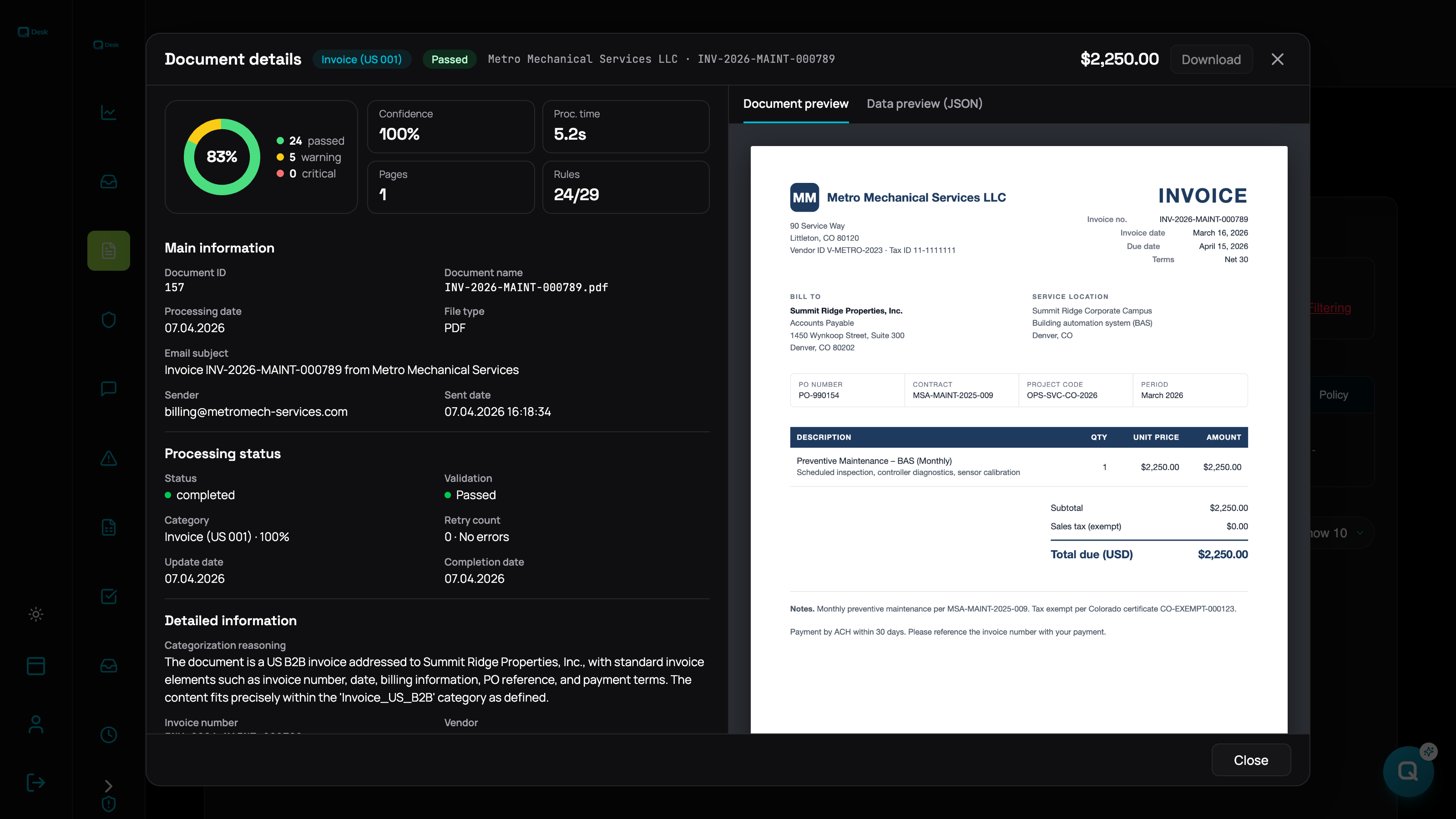
QDesk document details: a vendor invoice after validation, with fields read from the PDF, confidence score and business rules passed
Exhibit 1. One invoice after validation: fields read from the PDF, confidence score and the business rules it passed.
The problem

Why AP teams pay invoices that break the contract

  • Invoices arrive as PDFs in every format. Some carry a PO number, some just say “please remit payment”.
  • Checking one against its contract means opening both and comparing rates, caps and term dates.
  • At ten minutes per invoice, 500 invoices a month is about 83 hours of checking.
  • So most invoices are approved on trust, and a rate increase nobody agreed to gets paid.

Benchmarks from the Institute of Finance & Management put duplicate and erroneous payments at roughly 1–2% of disbursements in manual AP processes.

Compare

AP automation software vs QDesk

AP platforms are built for payments and supplier portals at scale. QDesk does one job: checking that each invoice matches what you agreed to pay.

Typical AP automation SaaS

Best for payments and supplier portals at scale

  • DataVendor’s cloud
  • PricingPer-user or per-invoice subscription
  • RulesVendor’s feature set
  • Where people workSeparate app and login

QDesk in your tenant

Best for teams that want control of their data and a Microsoft-first approach

  • DataYour Microsoft 365 tenant
  • PricingImplementation project; the solution is yours
  • RulesYours, configured for you
  • Where people workOutlook, Teams, SharePoint
Talk to us

QDesk hosted by Integent

Best for a fast start without IT effort

  • DataAn environment Integent manages
  • PricingSubscription
  • RulesYours, configured for you
  • Where people workOutlook, Teams, web dashboard
Talk to us
Two ways to run it

Your tenant or ours. Your rules either way.

Recommended

In your Microsoft 365 tenant

We deploy, configure and hand over. Invoices and contracts never leave your environment.

  • Runs on Microsoft 365 and Azure you already own
  • Your IT keeps full control
  • Fixed-scope implementation
Fast start

Hosted by Integent

We run and maintain it for you on a subscription. Your team just uses it.

  • No infrastructure work for your IT
  • Same rules engine and audit trail
  • Move into your tenant later if you want
From demo to production

Running on your invoices in weeks

Demo

30 minutes on sample invoices; agree what to check.

Configure

Contracts, purchase orders, approval limits, tax rules.

Pilot

One mailbox and one team, on your own invoices.

Roll out

More vendors and rules, connected to your AP or ERP.

Typical timeline: four to six weeks to be running on your invoices.
FAQ

AP automation FAQ

What is AP automation software?

AP (accounts payable) automation software handles vendor invoices from arrival to payment: capture from email or scans, data extraction, matching with purchase orders and contracts, duplicate detection, approval routing and hand-off to the ERP or payment system.

How does AP automation work?

Invoices are collected from a mailbox or upload, AI extracts the fields, business rules check them against purchase orders, contracts and policy, and only exceptions go to a person.

What is vendor invoice management?

The process of receiving, checking, approving and recording supplier invoices, so you pay the right amount, once, on time, with a record of why.

How do I choose AP automation software?

If you need payments, supplier onboarding and global tax handling, choose a full AP platform. If your main risk is paying invoices that do not match contracts and you want data to stay in Microsoft 365, a validation solution in your tenant fits better.

How much does AP automation cost?

It depends on invoice volume, the number of rules and the systems to connect. In your tenant we quote a fixed-scope implementation after a short assessment; the hosted option is a subscription.

Does invoice data leave our Microsoft 365 tenant?

Not in the in-tenant option. In the hosted option, data is processed in an environment Integent manages for you.

Does it replace our ERP or payment system?

No. It checks invoices before they are posted or paid, and results can flow into the ERP or AP tool you already use.

See what it finds in your invoices

Book 30 minutes. We will show the system on sample invoices and tell you honestly whether your tenant, our hosting or a full AP platform fits you best.

Book a 30-minute demo →
  • Live system, not slides
  • Your contracts and rules, not ours
  • No commitment

Schedule A Consultation

Have a question or need you would like to discuss? Schedule a meeting and let's discover together how Integent can help your organization succeed with Microsoft technologies.
Contact Us Today

Get in touch

If you would like to discuss your needs, ask a question, or explore how we can help, leave your details and we’ll get back to you.

Over 15 years of experience supporting business and technology teams.
1.800.895.3254
8300 Cypress Creek Parkway, Suite 450 PMB 5351
Houston, TX 77070
Business Hours:
M-F 8:00 am to 5:00 pm Central
This field is for validation purposes and should be left unchanged.
© Copyright 2026 | Integent.com | All Rights Reserved
linkedin facebook pinterest youtube rss twitter instagram facebook-blank rss-blank linkedin-blank pinterest youtube twitter instagram