











At Integent Next, we believe the best technology solutions are the ones that make people's work feel less like work. When a client came to us struggling under the weight of a manual, email-driven capital project authorization process, we saw an opportunity to do exactly that.
Here's how we helped them go from scattered inboxes and missed approvals to a streamlined, transparent, and fully auditable system — all built on the Microsoft cloud they already trusted.
The challenge: email was never built for this
The client's capital project team was responsible for routing authorization requests to executive leadership — a process that required collecting information, designating reviewers, tracking approvals, and maintaining a record of decisions. All of this was happening through email and a basic SharePoint list.
The problems were predictable but serious. Requests got lost. Status was unclear. There was no central place to see what was approved, what was pending, or what had expired. Reviewers had to be tracked down manually. And with no audit trail, accountability was difficult to establish when questions arose.
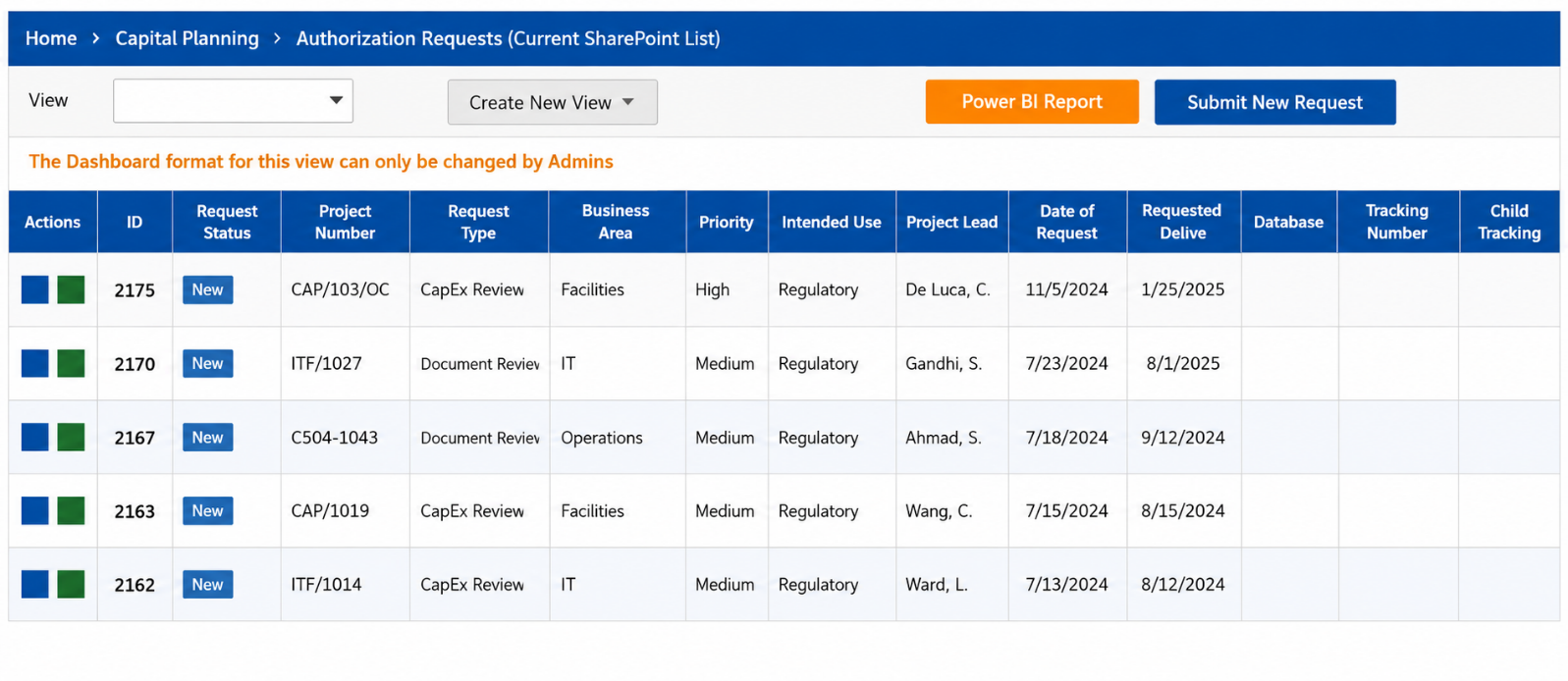
The team needed a better way — one that could handle multiple authorization form types, enforce a structured review and approval workflow, and give leadership a real-time view of where every request stood.
The solution: a purpose-built authorization app on the Microsoft cloud
We designed and delivered the Capital Project Authorization Management application (CPAM) — a Power Apps solution hosted on SharePoint and integrated with Power BI for reporting. Rather than building something from scratch on a foreign platform, we built within the Microsoft ecosystem the client already used, reducing adoption friction and keeping their data where it belonged.
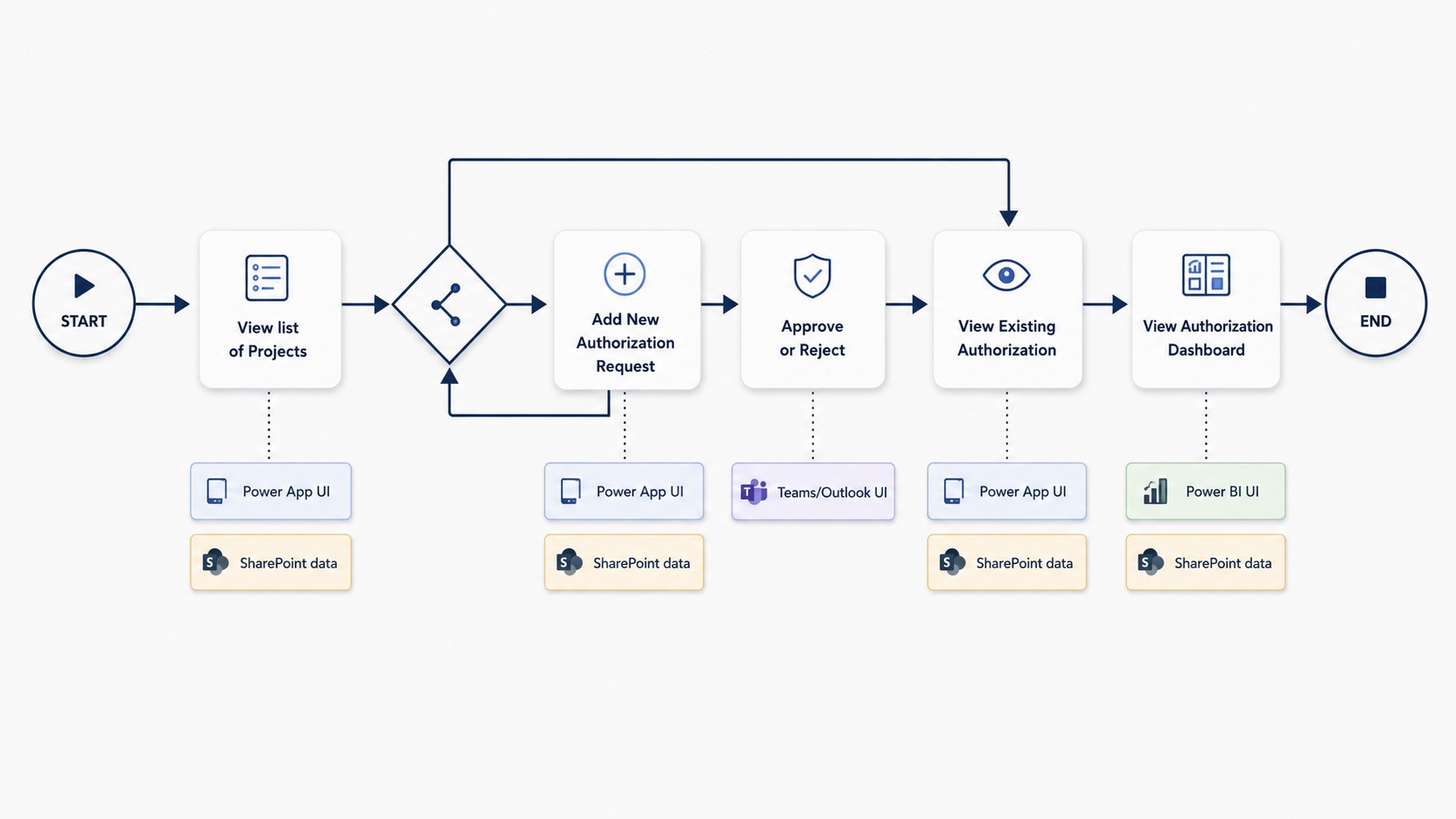
Here is what we delivered.
Centralized project and request management
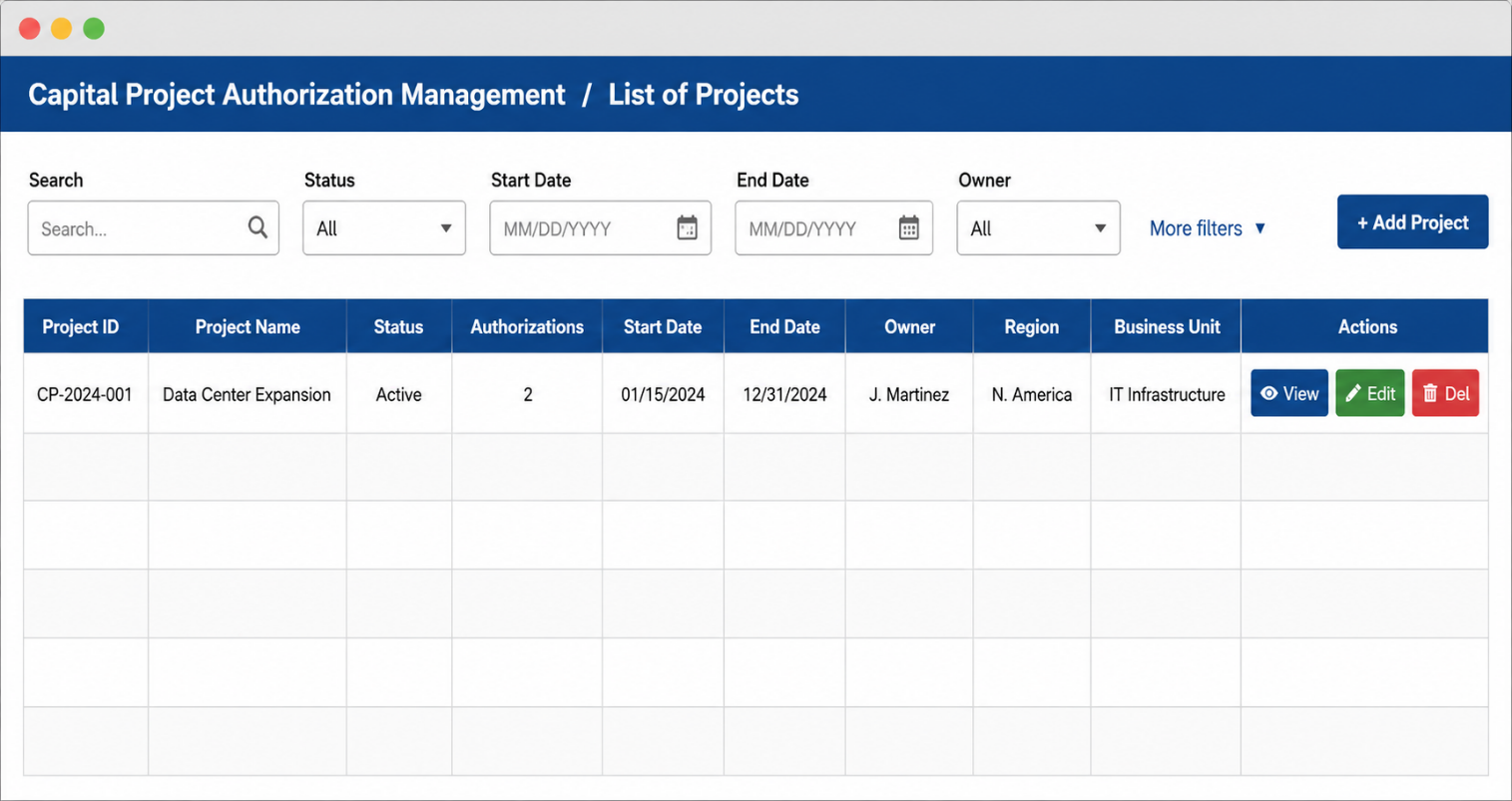
Users can now view, add, and manage all capital projects in one place. Each project can have one or more authorization requests linked to it, with full details captured — including project name, description, dates, owner, geographic and market categorization, and status. Filtering and search make it easy to find exactly what you need without digging through email threads.
Four form types, one consistent experience
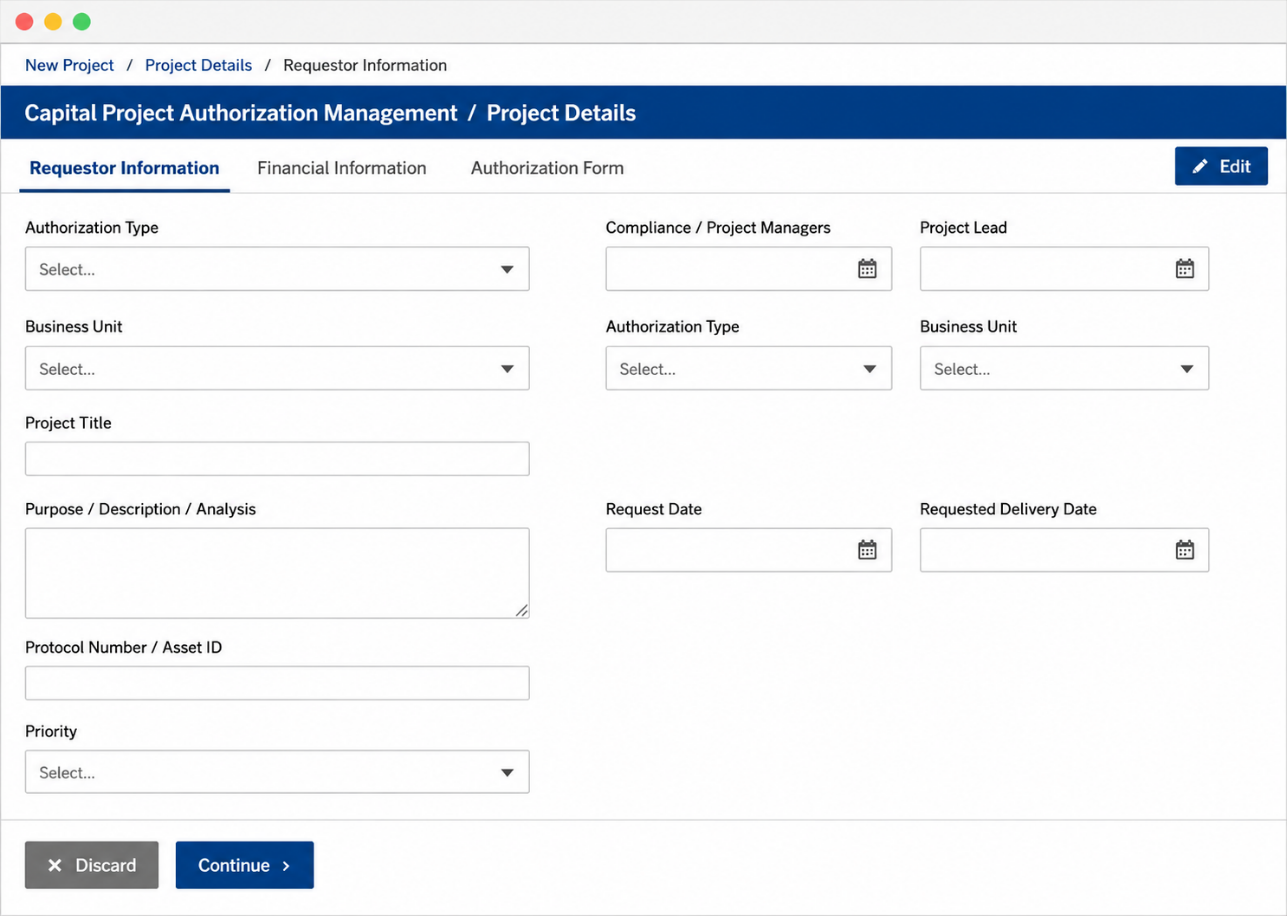
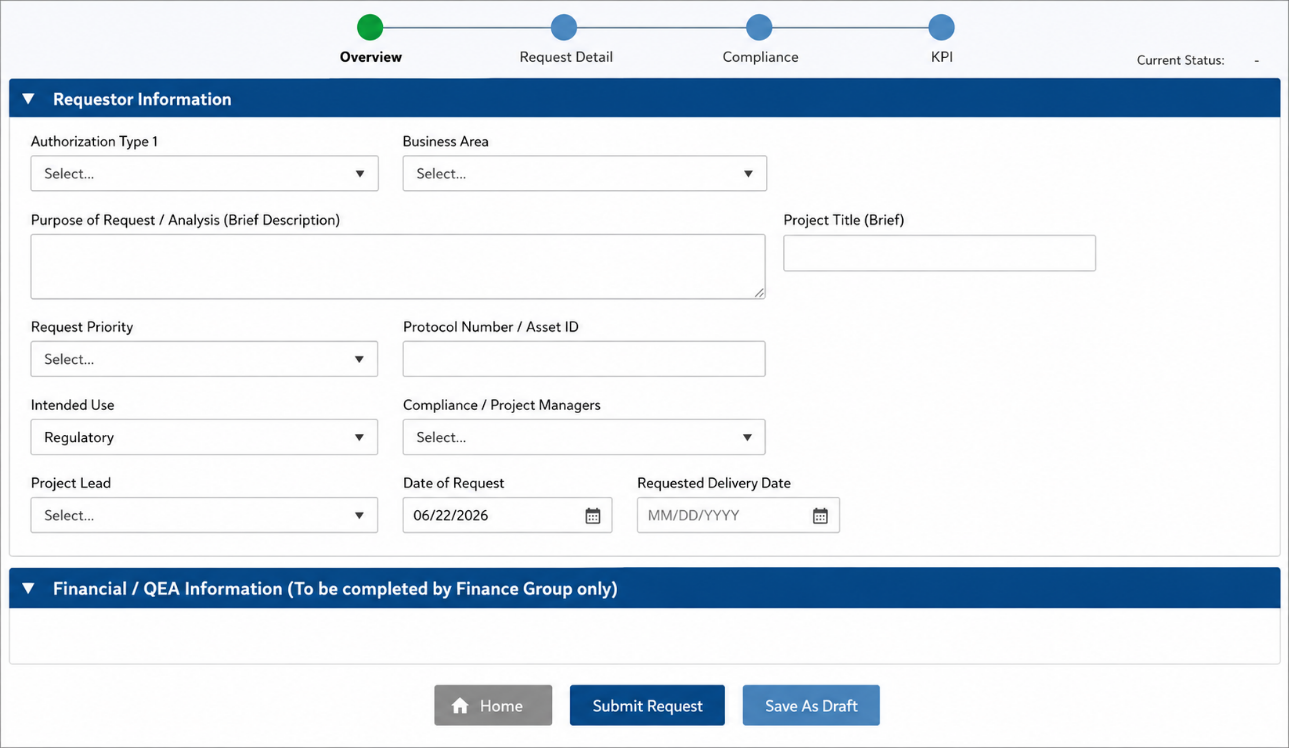
The client's authorization process involves four distinct form types depending on the project category and capital expenditure level. CPAM presents the right form template dynamically based on the type of request being submitted, keeping the experience consistent while capturing the specific data each process requires.
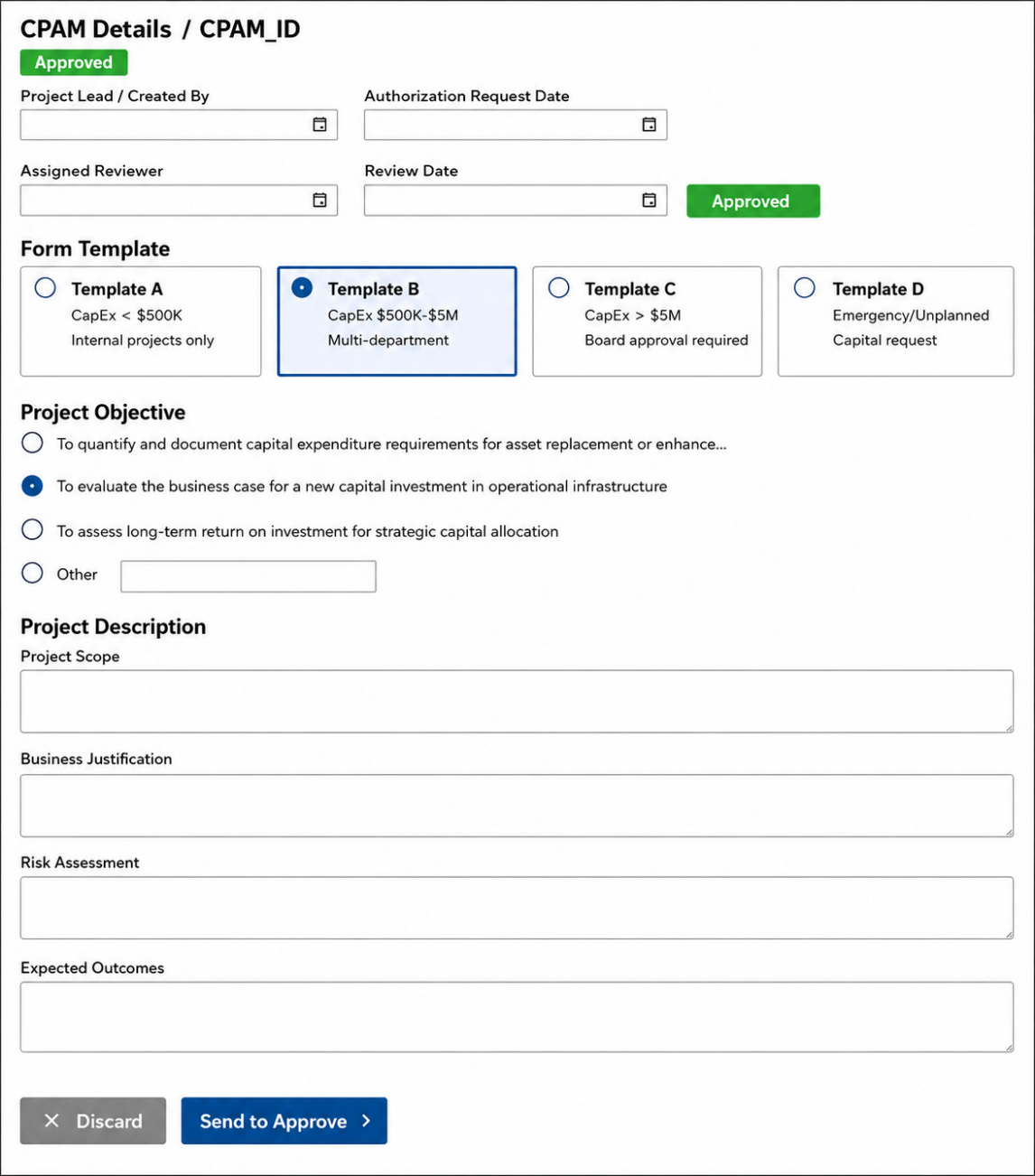
Requestors complete a structured multi-step form — capturing authorization type, business justification, project scope, risk assessment, financial details, and expected outcomes — then route directly to the appropriate reviewer.
Structured review and approval workflow
Every authorization request routes automatically to the designated reviewer — either the Capital Budget Owner or the Finance Compliance Officer, depending on the request type. Reviewers receive notifications via email and Microsoft Teams the moment a new request is submitted, and can approve or reject directly from the notification.
Only one reviewer needs to act — if they do, the other is automatically updated that the request is no longer pending their action. Approvers have 30 days to respond before a request expires, creating natural accountability built into the process itself.
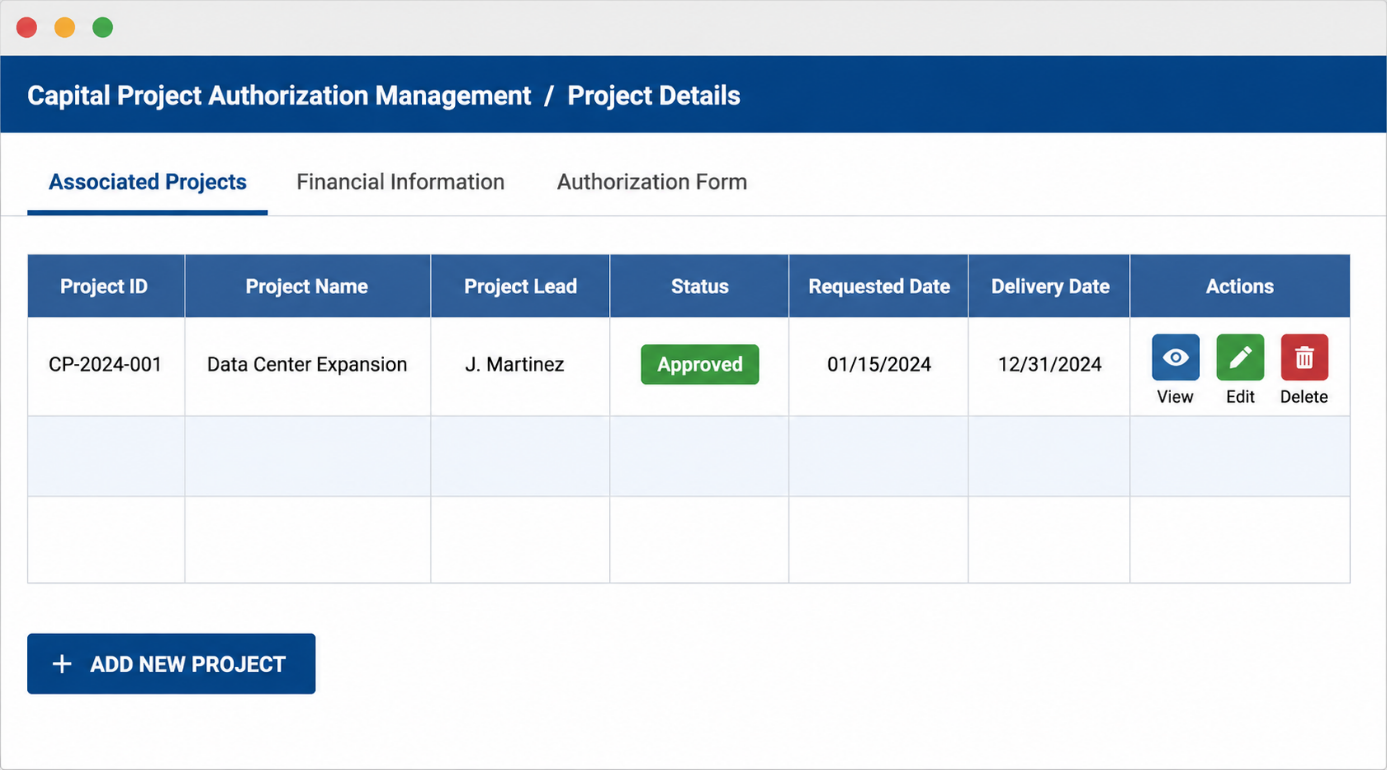
A full history of every action is captured in the application — including submission dates, approval or rejection dates, reviewer comments, and status changes. Nothing falls through the cracks, and nothing is disputed without a record.
Role-based access for the right people
CPAM supports three user roles, each mapped to the right level of access:
- CPAM Viewer — can see all project and authorization data without making changes.
- CPAM Editor — can create and modify projects and authorization requests.
- CPAM Administrator — has elevated access for situations requiring deletions or special configuration.
Access to the application itself is controlled via a Microsoft security group, keeping the environment clean, governed, and auditable.
The outcome: efficiency, transparency, and accountability
The impact of CPAM goes beyond the technology. By removing email from the center of the authorization process, the client's team gained something that email simply cannot provide: confidence.
Confidence that every request is captured. Confidence that the right people are reviewing it. Confidence that a decision is documented, defensible, and visible to anyone who needs to see it.
The Power BI layer extends that confidence to leadership, giving them a portfolio-wide view without having to ask anyone for a status update. For a team responsible for routing capital decisions to executive leadership, that kind of clarity is not just convenient. It is essential.
What the client gained:
- Every request captured in one searchable, auditable system — nothing lost in inboxes.
- Automatic routing to the right reviewer, with approve or reject directly from Teams or email.
- A complete audit trail: submission dates, decisions, reviewer comments, and status changes.
- A built-in 30-day approval window, so requests can't stall indefinitely.
- A portfolio-wide Power BI view for leadership — no more chasing status updates.
- Built on tools they already owned, which meant faster deployment, lower cost, and higher adoption.
Why this approach works
We built CPAM on Power Apps and SharePoint because the client did not need a new platform. They needed a better process, delivered through tools they already had. That choice meant faster deployment, lower cost, and higher adoption.
It also meant the solution could grow with them. Additional form types, new approval workflows, expanded reporting — all of these are within reach without starting over.
That is the Integent Next approach: meet your team where they are, build what they actually need, and leave them with something they can own.
Interested in modernizing a manual process within your Microsoft environment? We'd love to talk. Reach out to the Integent Next team to start the conversation.
Talk to the Integent Next team
