Call Us Today! 1.800.895.3254
[email protected]
Consulting & Advisory
Consulting / Advisory helps business and IT leaders make better decisions and turn strategy into execution-ready initiatives. Most engagements start with a Discovery Initiative to confirm outcomes, and build a roadmap.

Learn About Consulting
Data & AI
Data & AI delivers modern data platforms, analytics, and practical AI solutions—from assistants to agents—built on enterprise cloud tools. Integent helps you govern, deploy, and drive adoption so solutions stick and scale across your organization.
Learn About Data & AI
Support
Support keeps your solution stable, secure, and aligned with day-to-day operations. We combine functional and technical expertise with proactive monitoring, preventive maintenance, and 24/7 coverage for critical incidents.

Learn About Support
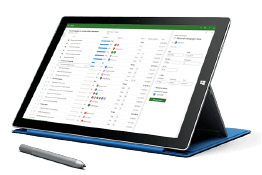
Microsoft Planner Premium
Leverage proven knowledge and experience to design and deploy Microsoft Planner Premium so your organization can manage projects, work, and resources more effectively across teams.
Learn More About Planner Premium
OnePlan
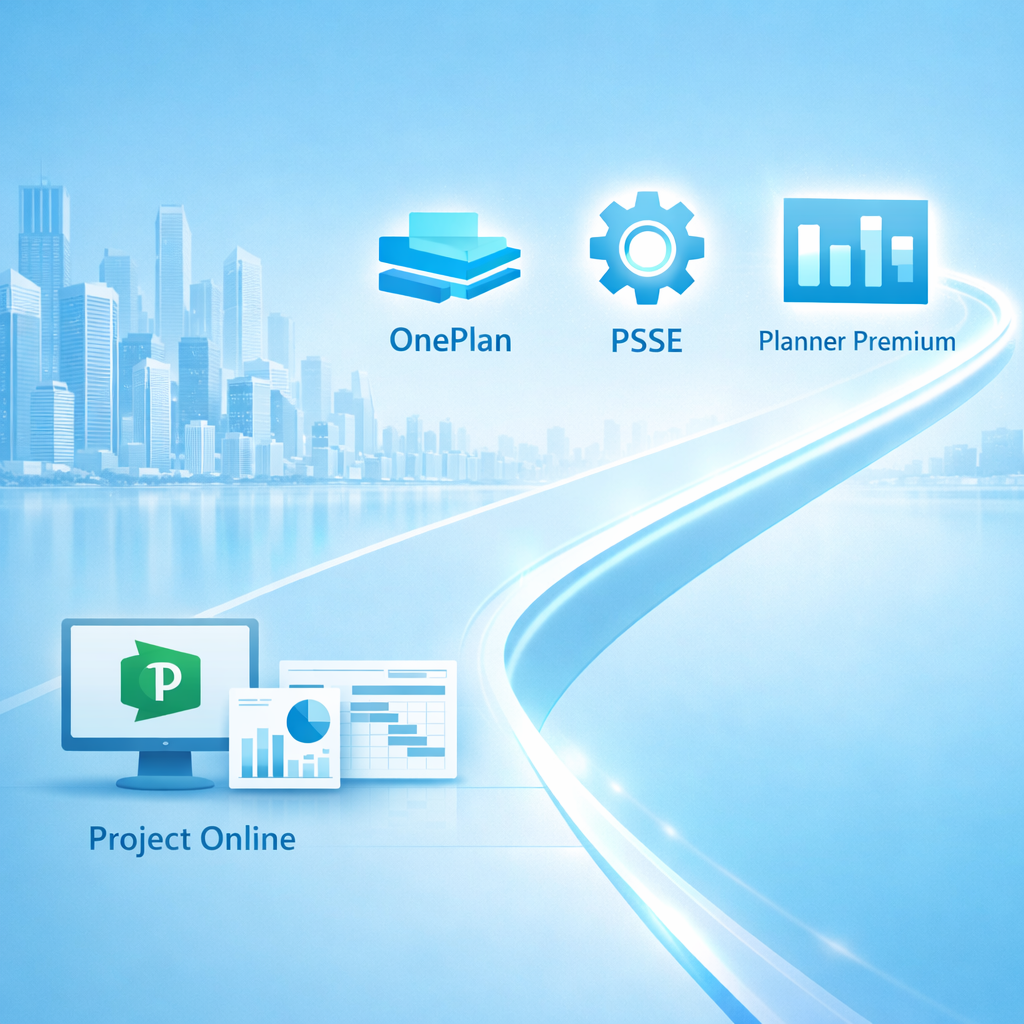
Integent can help you ensure continuity beyond Project Online by deploying OnePlan in the Microsoft Cloud—connecting portfolio governance, resources, and delivery execution for results.
Learn More About OnePlan
Microsoft Dynamics 365
Ensure business continuity with a custom cloud solution that connects your sales, service, finance, and operations teams to deliver measurable, predictable results.

Learn More About Dynamics 365
Microsoft Power Platform
Consisting of Power BI, Power Apps, Power Automate and Copilot Studio, the Microsoft Power Platform helps streamline and improve business functions.

Learn More About Power Platform
About Integent
Integent was founded in 2009 on the principles of building long-lasting relationships with customers, exceeding expectations, and providing outstanding customer service. 

We’re dedicated to providing a customized solution backed by our knowledgeable team of Microsoft experts.

Discover What Makes Us Different
Insights
Explore practical insights on project portfolio management, Data & AI, Microsoft cloud solutions, and business transformation. Our experts share guidance to help organizations improve governance, reporting, automation, and decision-making.
Discover More
Videos
Watch practical training videos, product walkthroughs, and expert demos covering modern project management, analytics, automation, and Microsoft business applications.

Browse Our Training Video Library
News
Stay informed on Integent’s latest company updates and other important industry information. Our passion is customer success.
Read The Latest News

Microsoft Project Server Subscription Edition (PSSE)

We help organizations implement Microsoft Project Server Subscription Edition (PSSE) with a stable operating model, secure governance, and executive-ready portfolio visibility.

Whether you're replacing Project Online after its retirement or modernizing an existing on-prem Project Server footprint, we design and implement PSSE so it works in your real environment: PWA configuration, security, workflows, reporting, integrations, and operational ownership.

PSSE is a strong fit when you need enterprise scheduling, resource management, timesheets, and portfolio governance—with full control of the platform in your data center or hosted environment.

To make PSSE scalable, we focus on PWA structure, governed delivery, measurable portfolio signals (KPIs), and secure integration with your identity and Microsoft 365 services where appropriate (hybrid scenarios). That’s why implementations typically include:
  • PSSE / PWA configuration, enterprise templates, custom fields & workflows
  • Governance & security model (roles, permissions, environments, change control)
  • Reporting database strategy, KPI model, and Power BI readiness
  • Integrations (Microsoft 365, Azure AD, Power Platform, line-of-business systems)
  • Admin + PMO enablement, operational runbooks, and knowledge transfer
Get Started Today

Why Project Server Subscription Edition (PSSE)

PSSE is Microsoft’s on-premises enterprise PPM option for organizations that need close continuity with Project Online capabilities—advanced scheduling, resource management, timesheets, and governed PWA processes—built on SharePoint Server Subscription Edition.

It’s often chosen when regulatory, data residency, integration complexity, or operational control makes cloud-only tooling impractical.

When PSSE is a good fit:

  • You need Project Online-like PPM with strong scheduling + enterprise controls.

  • You rely on resource management, timesheets, enterprise calendars, and governed project lifecycle.

  • You need PWA features: custom fields, workflows, approvals, portfolio views, and reporting DB access.

  • You require platform control (on-prem or hosted), predictable change windows, and controlled upgrades.

What we deliver

Every engagement is anchored in tangible deliverables you can reuse and scale across teams.

PSSE Design & PWA Setup

PWA information architecture, enterprise templates, custom fields, views, EPTs, workflows, and environments aligned to your PMO operating model.

Governance, Security & Operations

Roles, permissions, AD/Azure AD integration approach, environment strategy, change control, and admin runbooks that keep PSSE maintainable.

Reporting Database & BI Readiness

Reporting strategy (Reporting DB and supported feeds), KPI definitions, and a Power BI‑ready model (via gateway) for reliable portfolio visibility.

Enablement, Cutover & Hypercare

Admin + PMO training, go-live readiness, cutover runbook, and short hypercare to stabilize usage and resolve early operational issues.
Together, these deliverables give you a repeatable way to run enterprise project and portfolio management in PSSE—with governance, reporting, and operational ownership built in.

Project Online → PSSE Migration

Microsoft retired Project Online on September 30, 2026. If your tenant is still accessible, treat it as borrowed time: Microsoft can switch it off without further notice. Export your data and plan the move now.

We help organizations migrate to PSSE in a controlled way—preserving governance, reporting continuity, and delivery cadence.

To ensure a controlled transition, we usually deliver the following:

  • Assessment of your Project Online footprint (PWA config, workflows, fields, security, custom solutions, reporting).

  • Target-state design in PSSE (PWA architecture, EPTs, templates, workflows, environments).

  • Data & configuration mapping (projects, resources, timesheets, metadata, custom fields, lookups, calendars).

  • Reporting continuity plan (Reporting DB access, KPI mapping, validation checkpoints).

  • Pilot + migration waves with cutover runbook, go-live support, and rollback plan.

What Our Clients Say

  • Integent supported our Project Online migration, and the experience was very smooth end to end. The migration itself was completed over a weekend with minimal disruption. We would be comfortable recommending them for similar migration and reporting initiatives.

    SocomecProject Online migration
  • Amanda and the team at Integent have been an incredible resource in developing our project management system managing hundreds of projects a year. We would definitely recommend them.

    REGProject management system
  • Ron is responsive and gets the right people involved. Frank is a true guru in configuring the system, and even more so when it comes to educating users.

    PMO DirectorManufacturer of injection and blow molded plastic packaging
  • The team at Integent has been extremely helpful in our growth with Microsoft Project Online. We couldn't have done it without them.

    Integent clientMicrosoft Project Online
  • It is clear that [ Integent ] has had a lot of experience training on and implementing the tools. Integent was able to offer insight into how others have succeeded (and failed) and perspective on “what works best”.

    Project ManagerFinancial Institution

How we implement

Implementation approach

Step 1 — Discover & Align (2–10 days)
Assess your Project Online / Project Server current state, align on PSSE outcomes, define pilot scope, risks and priorities.

Step 2 — Design, Configure & Integrate
Design PWA structure (templates, EPTs, custom fields), governance rules, permissions and metadata, and configure the required integrations (identity, reporting, Power Platform/LOB) to reduce manual work.

Step 3 — Pilot, Validate & Refine
Run with real teams, validate scheduling, timesheets and reporting signals (KPIs), and decide what should be standardized vs. left flexible.

Step 4 — Roll Out in Waves
Roll out in controlled waves with cutover runbooks, clear adoption targets, feedback loops and change management support.

PSSE expertise

The cross-functional expertise that makes PSSE scalable in Microsoft 365.

PPM & Portfolio

Operating model, templates, and governance for consistent planning and status across teams.

Data & AI

KPI definitions and Power BI-ready reporting foundations for reliable portfolio visibility and advanced analytics.

Power Platform

Intake, approvals, and automation with Power Automate/Power Apps to reduce manual work.

Microsoft 365 & Integrations

Teams integration, permissions, and maintainable architecture across Microsoft 365.

Engagement options

Choose a focused starter or a full rollout—each engagement is scoped around clear deliverables and measurable outcomes.

Engagement options:

  • Discovery & PSSE Assessment (2–10 days)
    Fast alignment on outcomes, current state of your Project Online / Project Server environment, target approach in Project Server Subscription Edition (PSSE), and a prioritized implementation and migration roadmap.

  • PSSE Design & Quick Start (2–4 weeks)
    Design and configuration of a core PSSE PWA environment: enterprise templates, governance rules, custom fields and views, plus initial reporting, delivered with one or two pilot teams.

  • PSSE Rollout Waves (4–12+ weeks)
    Scaled rollout of PSSE across teams, with adoption enablement, training, and reporting consistency checks, and with adjustments to templates and governance based on real usage.

  • Project Online to PSSE Migration (3–8+ weeks)
    End‑to‑end migration from Project Online to PSSE: analysis and mapping, migration of selected projects, resources and timesheet data where feasible, validation with key users, and handover into your steady‑state PSSE setup.

Schedule A Consultation

Schedule a meeting to discuss how Integent can help your organization succeed with Microsoft technologies.

Getting Started Is Easy

Schedule A Consultation
The first step is a short call with the Integent team. We will discuss your challenges and the results you want to achieve.
Review Our Proposal
Once we determine there is a fit, we walk you through the process of scoping out your engagement and document how we will work together in a detailed proposal. Timeline and cost for the scope of services will be laid out in detail.
Let's Get Started
From focused projects to ongoing services, we take a customer‑centric approach with every engagement — aligning stakeholders and clarifying outcomes so everyone is working toward the same goals. We design and build cutting‑edge solutions to enable your teams to deliver measurable business value over time.
© Copyright 2026 | Integent.com | All Rights Reserved
linkedin facebook pinterest youtube rss twitter instagram facebook-blank rss-blank linkedin-blank pinterest youtube twitter instagram